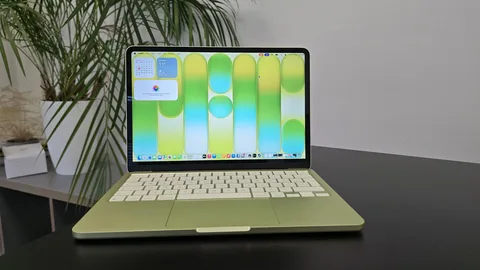
Finding a good laptop on a limited budget can be challenging in 2026. There are hundreds of models available, and specifications can sometimes make the buying process feel like decoding a spaceship dashboard.
The good news is that you do not always need an expensive premium laptop to get excellent performance. Affordable laptops can handle everyday tasks such as browsing the web, attending online classes, creating documents, watching videos, managing emails, and running many professional applications.
The key is knowing which specifications matter and choosing a laptop that matches your actual needs.
What Makes a Good Budget Laptop?
A budget laptop should offer a reasonable balance between performance, battery life, build quality, display quality, and price.
Before purchasing one, pay attention to:
- Processor
- RAM
- Storage
- Display
- Battery life
- Keyboard and trackpad
- Ports
- Operating system
- Weight and portability
- Warranty and support
A cheap laptop with poor specifications may save money initially but become frustrating after a few months.
1. Acer Aspire Series
The Acer Aspire family remains popular among students and everyday users because it offers different configurations across several price ranges.
Depending on the specific model, buyers can find processors suitable for browsing, office applications, online learning, and light creative work.
The Aspire series is particularly useful for students who need a practical laptop without paying for premium materials or unnecessary features.
Best For
- Students
- Office workers
- Web browsing
- Online classes
- Microsoft Office
- General productivity
2. Lenovo IdeaPad Series
Lenovo’s IdeaPad lineup is another strong option for budget-conscious buyers.
IdeaPad laptops are available in different sizes and hardware configurations, making it easier to find one suited to basic productivity or more demanding workloads.
The keyboard experience is also an important advantage for people who spend several hours writing assignments, emails, reports, or documents.
Best For
Students and professionals who want a versatile everyday laptop.
3. HP 15 Series
HP offers several affordable laptops designed for students and home users.
The HP 15 family typically focuses on practical features rather than premium design.
Depending on the configuration, buyers can get enough processing power for office applications, browsing, video calls, entertainment, and schoolwork.
It can be a good choice for someone who needs a straightforward laptop for everyday tasks.
4. ASUS VivoBook Series
ASUS VivoBook laptops are designed for users who want a balance between portability, performance, and modern design.
Many VivoBook models feature relatively slim designs while providing hardware capable of handling common productivity applications.
Some configurations are also suitable for light creative work.
Best For
- Students
- Freelancers
- Content creators
- Remote workers
- Everyday computing
5. Dell Inspiron Series
Dell’s Inspiron family includes laptops covering several price categories.
They are often aimed at students, families, and professionals who want a dependable computer for everyday use.
Depending on the model, users can find configurations with enough memory and storage for multitasking and productivity.
Dell also has an established support network in many markets, although availability varies by country.
6. Chromebook Options
Chromebooks can be an excellent option for users who primarily work online.
Instead of running traditional desktop software in the same way as Windows laptops, Chromebooks use ChromeOS and focus heavily on web applications and cloud services.
They can be particularly useful for:
- Online classes
- Google Docs
- Web browsing
- Video calls
- Streaming
- Cloud-based applications
However, a Chromebook may not be suitable for someone who depends on specialized Windows applications.
7. Microsoft Surface Laptop Go Series
Microsoft’s smaller Surface laptops have targeted students and users looking for lightweight computers.
Their compact designs can make them convenient for carrying between classrooms, offices, cafés, and meetings.
The exact hardware and pricing vary between generations, so buyers should compare current configurations carefully.
How Much RAM Do You Need?
RAM affects how many applications a laptop can comfortably keep open at the same time.
For basic tasks such as browsing, word processing, email, and online classes, 8GB of RAM can be a reasonable starting point.
If you regularly use many applications simultaneously, edit photos, work with large spreadsheets, or perform other demanding tasks, 16GB can provide more breathing room.
For most budget buyers, it is better to prioritize sufficient RAM over flashy features that do not improve everyday productivity.
How Much Storage Is Enough?
Storage determines how much space you have for applications, documents, photos, videos, and other files.
A laptop with an SSD is generally preferable to an older mechanical hard drive because SSDs provide faster startup times and quicker file access.
For many students and professionals, 256GB of SSD storage can be workable, while 512GB provides more flexibility.
People who store large video libraries or professional files may need more storage or an external drive.
Which Processor Should You Choose?
The processor is one of the most important components in a laptop.
Modern budget laptops can use processors from Intel, AMD, Qualcomm, and other manufacturers.
For basic tasks, you do not necessarily need a high-end processor.
However, avoid choosing a laptop based solely on a processor’s brand name. Look at the exact processor generation and model because performance can vary significantly.
For professional work, multitasking, programming, photo editing, or other demanding applications, spending a little more on the processor can be worthwhile.
Battery Life
Students and professionals often spend hours away from a power outlet.
A laptop with good battery life can therefore be more useful than one that offers slightly higher performance but requires constant charging.
Battery life varies according to screen brightness, applications, processor efficiency, network activity, and battery capacity.
Manufacturers’ battery estimates should be treated as guidelines rather than guaranteed real-world results.
Display Quality
The display is easy to overlook when comparing specifications.
If you spend several hours reading documents or watching lectures, a poor display can make the experience uncomfortable.
Look for:
- Full HD or better resolution
- Good brightness
- Comfortable viewing angles
- Suitable screen size
- Anti-glare treatment where available
A 14-inch laptop can provide a good balance between screen space and portability, while a 15.6-inch model may be better for users who prefer a larger workspace.
Best Budget Laptop for Students
Students should prioritize portability, battery life, keyboard quality, reliability, and price.
A good student laptop does not need a powerful gaming GPU unless the student’s course requires specialized software.
For writing assignments, attending online classes, researching, browsing, presentations, and spreadsheets, a modern mid-range processor with 8GB or 16GB of RAM and SSD storage can be sufficient.
Best Budget Laptop for Professionals
Professionals should choose according to their specific workload.
Someone working with email, spreadsheets, documents, and video meetings may not need an expensive machine.
A programmer, designer, engineer, or video editor may need significantly more processing power, memory, and storage.
Remote workers should also consider webcam quality, microphone performance, Wi-Fi connectivity, and battery life.
Windows vs ChromeOS
Windows remains the most flexible choice for many professionals because it supports a wide range of desktop applications.
ChromeOS can be excellent for users who primarily work through web-based applications.
The best operating system depends on your workflow.
Before buying a Chromebook, check that the applications you use for school or work are available and compatible.
Should You Buy a Used Laptop?
A used or refurbished laptop can provide excellent value, particularly when buying a higher-end model at a reduced price.
However, inspect the device carefully.
Check:
- Battery health
- Screen condition
- Keyboard
- Trackpad
- Charging port
- USB ports
- Wi-Fi
- Webcam
- Storage health
- Operating system
- Warranty
A refurbished laptop from a reputable seller can sometimes be a better purchase than a brand-new low-end machine.
Common Mistakes to Avoid
One common mistake is buying the cheapest laptop available without checking its specifications.
Another is choosing a laptop with a powerful processor but too little RAM or storage.
Buyers should also avoid assuming that a larger number automatically means better performance.
For example, processor generations matter, and storage technology can make a major difference to everyday responsiveness.
It is also important to consider future needs. A laptop purchased today may need to remain useful for several years.
Quick Buying Checklist
Before purchasing a budget laptop, ask:
- Does it have an SSD?
- Does it have enough RAM?
- Is the processor modern enough for my workload?
- Is the display comfortable?
- Is the battery sufficient?
- Does it have the ports I need?
- Does it support the software I use?
- Is the keyboard comfortable?
- Does it have a reliable warranty?
- Can I upgrade the RAM or storage if necessary?
Final Thoughts
The best budget laptop in 2026 is not necessarily the cheapest model on the shelf.
Students should focus on battery life, portability, reliability, and productivity features, while professionals should choose hardware according to the applications they use.
Laptop families such as Acer Aspire, Lenovo IdeaPad, HP 15, ASUS VivoBook, and Dell Inspiron provide a wide range of configurations for different budgets. Chromebooks can also be excellent for users who primarily work online.
Before buying, compare the exact configuration rather than relying only on the laptop’s series name. Check the processor, RAM, SSD capacity, display, battery, warranty, and software compatibility.
A carefully chosen budget laptop can provide years of useful service without requiring you to spend flagship-level money.
Leave a Reply