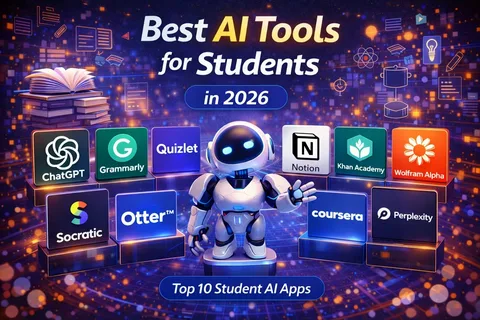
Artificial intelligence has become one of the most useful technologies for people who work, study, create content, and run businesses.
AI tools can now help users write documents, summarize information, analyze data, create images, generate ideas, organize projects, write code, translate languages, and automate repetitive tasks.
For students, AI can become a useful learning assistant. Freelancers can use it to improve productivity and manage client work, while businesses can use AI to streamline operations and improve customer service.
However, not every AI tool is designed for the same purpose. The best option depends on what you need to accomplish.
What Are AI Tools?
AI tools are software applications that use artificial intelligence to perform or assist with specific tasks.
Some are designed for text generation, while others focus on images, coding, research, productivity, audio, video, or data analysis.
Modern AI tools can understand natural-language instructions, making them easier for beginners to use.
Instead of learning complicated software commands, users can often describe what they want in ordinary language.
1. ChatGPT
ChatGPT is one of the most versatile AI assistants available.
It can help users brainstorm ideas, explain difficult subjects, summarize information, draft documents, analyze content, assist with programming, and organize projects.
Best For
- Students
- Writers
- Freelancers
- Researchers
- Business owners
- Programmers
Students can use it to explain difficult concepts or create practice questions.
Freelancers can use it for brainstorming, proposals, client communication, and content planning.
Businesses can use AI assistants for internal documentation, idea generation, customer-support workflows, and many other tasks.
Users should still verify important information because AI systems can sometimes produce inaccurate answers.
2. Google Gemini
Google Gemini is Google’s AI assistant and is designed to work across Google’s broader ecosystem.
Its usefulness can be particularly noticeable for people who already use Google services and productivity applications.
Depending on the available version and region, Gemini can assist with writing, research, brainstorming, coding, image-related tasks, and other activities.
Best For
People who regularly use Google’s ecosystem and want AI assistance integrated into their workflow.
3. Microsoft Copilot
Microsoft Copilot is Microsoft’s family of AI-powered tools.
It can help users with writing, research, productivity, coding, and other tasks depending on the specific Copilot product and subscription.
For professionals who already use Microsoft 365 applications, AI features can be particularly useful for handling documents, presentations, emails, spreadsheets, and meetings.
4. Claude
Claude is an AI assistant developed by Anthropic.
It is known for its ability to work with long documents and assist with writing, analysis, coding, and research tasks.
Students can use it to analyze study materials, while professionals can use it for document-based workflows and brainstorming.
As with other AI systems, users should independently verify important information.
5. Perplexity
Perplexity focuses heavily on AI-assisted search and research.
Instead of simply generating an answer, it can help users explore information from online sources and provide references within its responses.
This can be useful for students, researchers, writers, and professionals who need to investigate a topic quickly.
However, sources should still be opened and checked, particularly when accuracy matters.
6. Canva AI Tools
Canva has incorporated AI-powered features into its visual design platform.
These tools can assist users with presentations, graphics, social media designs, images, and other creative projects.
For freelancers and small businesses, this can reduce the amount of time required to create basic marketing materials.
Best For
- Social media creators
- Freelancers
- Small businesses
- Students
- Marketing teams
7. Grammarly
Grammarly uses AI-powered writing assistance to help users improve grammar, clarity, tone, and overall writing quality.
It can be useful for students preparing assignments, freelancers communicating with clients, and professionals writing emails or reports.
AI writing assistance should complement a person’s own judgment rather than completely replace it.
8. GitHub Copilot
GitHub Copilot is designed to assist software developers with coding.
It can suggest code, explain programming concepts, help generate functions, and assist developers while working inside supported development environments.
For students learning programming, it can provide explanations and examples.
For professional developers, it can help reduce the time spent on repetitive coding tasks.
Developers should always review generated code for errors, security problems, and compatibility issues.
9. Notion AI
Notion combines notes, databases, project management, and collaboration tools with AI features.
Users can use AI assistance to summarize notes, organize information, generate drafts, and work with documents.
It can be particularly useful for freelancers and small teams managing projects and information in one workspace.
10. Adobe Firefly
Adobe Firefly provides AI-powered creative tools for image and design workflows.
It can assist designers and creators with generating or modifying visual content.
For businesses that regularly produce marketing materials, AI-assisted creative tools can speed up the early stages of the design process.
AI Tools for Students
Students can benefit from AI in several ways.
Understanding Difficult Topics
Instead of simply searching for an answer, students can ask an AI tool to explain a subject at different levels of difficulty.
For example, a student studying economics could request a beginner-friendly explanation before moving to a more advanced discussion.
Creating Practice Questions
AI can generate quizzes, flashcards, and practice questions based on a topic.
Summarizing Notes
Long study materials can sometimes be summarized into shorter revision notes.
However, students should compare AI-generated summaries with the original material to avoid missing important details.
Language Learning
AI tools can help learners practice writing, vocabulary, translation, and conversation.
AI Tools for Freelancers
Freelancers often have to perform many different jobs themselves.
They may need to communicate with clients, market their services, create content, manage projects, research topics, and handle administrative work.
AI can reduce the time required for some of these activities.
For example, a freelancer could use AI to brainstorm content ideas, prepare an initial proposal, organize a project plan, or improve the clarity of a client email.
The freelancer should still provide the human judgment and expertise that clients are paying for.
AI Tools for Businesses
Businesses can use AI across multiple departments.
Customer Service
AI-powered systems can answer common questions and help customers find information.
Marketing
AI can assist with brainstorming, content planning, market research, and campaign ideas.
Data Analysis
AI tools can help identify patterns in business data and summarize large amounts of information.
Human Resources
Businesses can use AI to organize information, draft internal documents, and assist with administrative workflows.
Software Development
Development teams can use AI coding assistants to accelerate certain programming tasks.
Are AI Tools Free?
Some AI tools offer free plans, while others use subscriptions or usage-based pricing.
Free versions can be useful for occasional users, but advanced features often require paid plans.
Before subscribing, determine how frequently you will use the tool and whether its premium features actually solve a problem for you.
Are AI Tools Safe to Use?
AI tools can be useful, but users should be careful about the information they provide.
Avoid entering highly sensitive personal, financial, business, or confidential information unless you understand how the service handles that data and have appropriate authorization.
Businesses should also establish clear policies for employees using AI tools.
AI Does Not Replace Human Judgment
One of the biggest mistakes users can make is assuming that AI is always correct.
AI systems can make mistakes, misunderstand instructions, invent information, or produce outdated material.
This is especially important when dealing with:
- Legal information
- Financial decisions
- Medical information
- Academic research
- Business-critical data
- Technical systems
AI should be treated as an assistant rather than an unquestionable authority.
How to Choose the Right AI Tool
Before choosing an AI platform, ask yourself:
- What task do I want AI to help with?
- Do I need text, image, video, coding, or research assistance?
- Does the tool integrate with my existing software?
- Is there a free version?
- How much does the paid version cost?
- How does the company handle my data?
- Can I verify the information it provides?
- Does it save enough time to justify the cost?
Answering these questions can prevent you from subscribing to several tools that perform essentially the same job.
Final Thoughts
AI tools are becoming increasingly useful for students, freelancers, and businesses in 2026.
Tools such as ChatGPT, Google Gemini, Microsoft Copilot, Claude, Perplexity, Canva’s AI features, Grammarly, GitHub Copilot, Notion AI, and Adobe Firefly serve different purposes.
The best AI tool is not necessarily the most advanced or expensive one. It is the tool that solves a real problem in your daily workflow.
Students can use AI to support learning, freelancers can use it to increase productivity, and businesses can use it to automate repetitive tasks and improve operations.
The key is responsible use. Always review AI-generated information, protect sensitive data, and use human judgment when accuracy and decision-making matter.
AI works best when it helps people do better work rather than simply doing all the work for them.
Leave a Reply