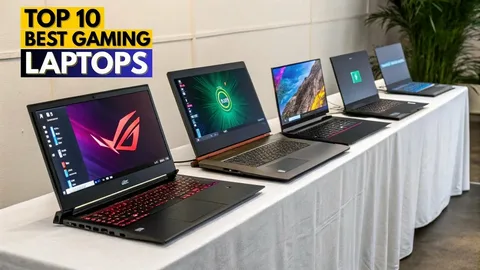
Gaming laptops have become powerful enough to run demanding modern games while remaining portable enough to carry between home, school, and work.
Unlike traditional desktop gaming PCs, laptops combine the processor, graphics card, display, keyboard, battery, cooling system, and other components into a single portable machine.
The market now includes affordable gaming laptops for casual players as well as premium machines designed for demanding games and professional creative work.
Choosing the right model requires looking beyond the brand name.
What Makes a Good Gaming Laptop?
A good gaming laptop should provide a balanced combination of:
- Powerful processor
- Dedicated graphics card
- Fast display
- Adequate RAM
- SSD storage
- Effective cooling
- Comfortable keyboard
- Strong build quality
- Good connectivity
- Reasonable battery life
The graphics processor is particularly important because it handles much of the workload involved in rendering modern games.
1. ASUS ROG Strix Series
ASUS ROG Strix laptops are designed for gamers who prioritize performance.
Depending on the configuration, they can feature powerful processors, dedicated graphics, high-refresh-rate displays, and advanced cooling systems.
Some models are designed specifically for competitive gaming, while others are capable of handling demanding AAA games.
Best For
- Serious gamers
- Competitive gaming
- High-performance workloads
- Content creation
2. Lenovo Legion Series
Lenovo Legion laptops have become popular among gamers looking for a balance between gaming performance and a relatively understated design.
Many Legion models provide powerful hardware without the extremely aggressive appearance associated with some gaming laptops.
They can also be useful for productivity and creative applications.
3. Acer Predator Helios Series
Acer Predator laptops focus heavily on gaming performance.
Depending on the model, they can include powerful graphics hardware, high-refresh-rate displays, and advanced cooling.
They are particularly suited to users who want high performance without necessarily moving into the most expensive premium category.
4. HP Omen Series
HP Omen laptops combine gaming hardware with designs that can work reasonably well in professional environments.
This can make them attractive to students and professionals who want one machine for both work and gaming.
The exact performance varies considerably between models.
5. Alienware Gaming Laptops
Alienware is Dell’s premium gaming brand.
Its laptops often feature powerful processors, dedicated graphics, high-quality displays, and distinctive designs.
Premium hardware comes with a premium price, so these machines are generally targeted at users who prioritize performance and build quality.
6. MSI Gaming Laptops
MSI offers gaming laptops across several price categories.
Its lineup includes machines designed for competitive gaming, mainstream gaming, and high-performance professional workloads.
Some MSI models also emphasize high-end displays and powerful graphics hardware.
7. ASUS TUF Gaming Series
ASUS TUF Gaming laptops are generally positioned below the company’s highest-end ROG models.
They can offer strong performance at more accessible prices.
For gamers working with a limited budget, a TUF configuration with a capable dedicated GPU can provide a good starting point.
Processor Matters
The CPU handles many important tasks, including game logic, background applications, and general system operations.
Modern processors from Intel and AMD can provide excellent gaming performance.
Some laptops also use processors designed specifically for energy efficiency, which can improve battery life.
The best CPU depends on your budget and the graphics card paired with it.
Graphics Card Is Critical
For gaming, the GPU is often one of the most important components.
Modern games can require significant graphics-processing power, particularly at high resolutions.
A powerful GPU can help improve:
- Frame rates
- Resolution
- Texture quality
- Ray tracing
- AI-assisted graphics features
However, a powerful GPU can also increase heat and power consumption.
How Much RAM Do You Need?
For many modern gaming laptops, 16GB of RAM is a sensible starting point.
Users who stream games, edit videos, run virtual machines, or perform other demanding tasks may benefit from more memory.
RAM requirements will continue to vary depending on the games and applications being used.
SSD Storage
Modern gaming laptops should ideally use SSD storage.
SSDs provide much faster access times than traditional mechanical hard drives.
This can reduce operating-system startup times and game-loading times.
A 512GB SSD may be enough for some users, but gamers with large libraries may quickly run out of space.
A 1TB drive can provide a more comfortable setup.
Display Refresh Rate
Gaming laptops often feature displays with refresh rates above 60Hz.
A higher refresh rate can make motion appear smoother, particularly in fast-paced games.
Competitive gamers may benefit from displays with very high refresh rates.
However, the laptop’s hardware needs to produce enough frames to take advantage of the display.
Buying a 240Hz screen does not automatically improve gameplay if the GPU can only produce 60 frames per second in demanding games.
Resolution
Full HD remains a practical resolution for gaming laptops because it requires less graphics power.
Higher-resolution displays can provide sharper images but may reduce frame rates if the GPU is not powerful enough.
Some premium laptops offer QHD or other high-resolution displays.
For many gamers, a balance between resolution, refresh rate, and graphics performance is more important than choosing the highest number available.
Cooling System
Gaming laptops generate considerable heat.
An effective cooling system helps maintain performance during long gaming sessions.
Cooling systems can include:
- Multiple fans
- Heat pipes
- Vapor chambers
- Large ventilation areas
- Specialized thermal materials
A laptop with powerful hardware but poor cooling may experience thermal throttling.
Keyboard and Trackpad
Gaming laptops often include RGB lighting and specialized keyboards.
Features can include:
- Per-key RGB lighting
- Anti-ghosting
- Mechanical-style switches
- Programmable keys
However, keyboard quality should be judged by comfort and responsiveness rather than appearance alone.
Battery Life
Gaming laptops are usually designed primarily for performance rather than extremely long battery life.
High-performance processors and graphics cards consume significant power.
When gaming, many laptops perform best while connected to a power adapter.
Battery life can still matter if you plan to use the laptop for school, work, or travel.
Gaming Laptops for Students
Students may want a laptop that can handle both schoolwork and gaming.
A balanced machine with a capable mid-range GPU, 16GB of RAM, and an SSD can often provide a good compromise.
Portability should also be considered.
Large gaming laptops can be powerful but heavy.
If you need to carry your computer every day, a thinner model may be more practical.
Gaming Laptops for Content Creators
Gamers who also edit videos or create content may want more powerful hardware.
Video editing can benefit from:
- Strong CPU
- Dedicated GPU
- 32GB or more RAM
- Large SSD
- High-quality display
Color accuracy becomes particularly important for professional photo and video work.
Gaming Laptop vs Desktop PC
The biggest advantage of a gaming laptop is portability.
You can move it between locations without transporting a complete desktop setup.
A desktop PC, however, usually provides more upgrade flexibility and can offer better performance for the same budget.
Desktop systems also tend to have more room for cooling.
If you never need to move your computer, a desktop may provide better value.
How Much Should You Spend?
Gaming laptop prices vary widely.
Entry-level machines can handle lighter games, while mid-range laptops provide a better balance between price and performance.
High-end systems can become extremely expensive.
Instead of spending as much as possible, decide which games you want to play and what performance level you need.
Gaming Laptops in Nigeria
Nigerian buyers should consider local pricing, warranty coverage, availability of replacement parts, power stability, and after-sales support.
A gaming laptop can consume significantly more electricity than a basic laptop when under heavy load.
Using appropriate surge protection and a reliable power solution can therefore be important.
Buyers should also verify that the laptop includes the correct keyboard layout, charger, warranty, and specifications before purchasing.
Common Mistakes to Avoid
One common mistake is choosing a laptop based only on its processor.
A powerful CPU paired with a weak GPU may not provide the gaming performance you expect.
Another mistake is buying a high-refresh-rate display without enough graphics performance to use it effectively.
Buyers should also avoid sacrificing storage capacity too heavily.
Modern games can occupy substantial amounts of storage.
Final Thoughts
Gaming laptops in 2026 offer impressive performance in increasingly portable designs.
Brands such as ASUS ROG, Lenovo Legion, Acer Predator, HP Omen, Alienware, MSI, and ASUS TUF provide options across different budgets.
When choosing a gaming laptop, prioritize the graphics card, processor, RAM, SSD storage, display, cooling system, and build quality.
Think about the games you actually play rather than simply choosing the most expensive specification sheet.
For students and professionals, a balanced gaming laptop can also serve as a powerful machine for work, study, video editing, programming, and creative projects.
The ideal gaming laptop is the one that delivers the performance you need without turning your budget into a boss fight you cannot win.
Leave a Reply