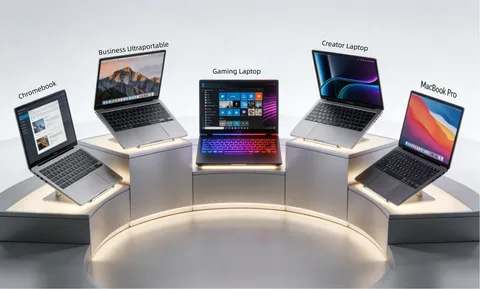
Buying a laptop in 2026 can be surprisingly complicated.
There are thin-and-light laptops, gaming machines, business notebooks, 2-in-1 devices, creator laptops, Chromebooks, and powerful workstation-class computers.
The right choice depends on what you plan to do with the machine.
A student who mainly browses the web does not need the same laptop as a video editor or professional gamer.
Determine Your Main Use
The first question should always be:
What will I use the laptop for?
Common uses include:
- Schoolwork
- Office work
- Web browsing
- Programming
- Gaming
- Video editing
- Graphic design
- Business
- Content creation
Once you know your primary use, choosing specifications becomes much easier.
Processor
The processor, or CPU, handles many of the laptop’s general computing tasks.
Modern laptops use processors from companies such as Intel, AMD, Apple, and Qualcomm.
For basic browsing and office work, an efficient mid-range processor can be enough.
For gaming, programming, video editing, and professional applications, a more powerful CPU may be beneficial.
RAM
RAM affects how many applications your computer can comfortably handle at the same time.
For many users, 8GB may be sufficient for basic tasks, but 16GB provides a more comfortable experience for modern multitasking.
Power users and professionals may benefit from 32GB or more.
Storage
SSD storage is standard on modern laptops.
SSDs provide faster startup and application loading than traditional mechanical hard drives.
For everyday use, 256GB can work, but 512GB is often a more practical starting point.
Gamers and content creators may need 1TB or more.
Display
The display is one of the parts you interact with constantly.
Important specifications include:
- Screen size
- Resolution
- Brightness
- Refresh rate
- Color accuracy
- Panel technology
Students and office users may prefer a comfortable 14-inch or 15-inch display.
Creative professionals may prioritize color accuracy.
Gamers may prioritize refresh rate and response time.
Battery Life
Battery life is particularly important if you regularly work away from a power outlet.
Actual battery life depends on the processor, display brightness, applications, network activity, and battery capacity.
Thin-and-light laptops often prioritize efficiency, while gaming laptops generally consume much more power.
Gaming Laptops
Gaming laptops require dedicated graphics hardware.
A dedicated GPU can dramatically improve performance in modern games and graphics-intensive applications.
Gaming laptops also need adequate cooling because powerful components generate significant heat.
Laptops for Students
Students usually need a combination of portability, battery life, durability, and sufficient performance.
A lightweight laptop with 16GB of RAM and SSD storage can provide a comfortable experience for documents, browsing, video calls, programming, and research.
Laptops for Business
Business users may prioritize reliability, security, keyboard quality, battery life, and connectivity.
Features such as biometric authentication, strong build quality, and a comfortable keyboard can be more important than having the most powerful processor.
Laptops for Content Creators
Video editors, photographers, and designers often need powerful hardware.
Important specifications include:
- Strong CPU
- Dedicated or powerful integrated GPU
- 16GB or more RAM
- Large SSD
- High-quality display
Professionals working with high-resolution video may benefit from even more powerful systems.
Windows vs macOS
Windows laptops provide a wide range of hardware choices and price points.
macOS laptops offer tight integration with Apple’s ecosystem and are particularly popular among some creative professionals.
The better option depends on your applications, smartphone ecosystem, workflow, and personal preference.
Laptop Ports
Do not overlook connectivity.
Useful ports can include:
- USB-C
- USB-A
- HDMI
- Headphone jack
- SD card reader
- Ethernet
Thin laptops may sacrifice ports for portability.
If you regularly connect external monitors, storage drives, cameras, or other equipment, check the port selection carefully.
Build Quality
A laptop should survive normal daily use.
Aluminum and other premium materials can provide a more refined feel, but plastic designs can also be durable.
For students and people who travel frequently, durability should be considered alongside weight.
Keyboard and Trackpad
If you type for several hours every day, keyboard quality matters.
Look for comfortable key travel, good spacing, and a responsive trackpad.
A laptop can have excellent specifications but still be frustrating to use if its keyboard is uncomfortable.
Laptops in Nigeria
Nigerian buyers should consider warranty support, replacement parts, charger compatibility, electricity conditions, and local pricing.
Imported laptops can sometimes offer attractive specifications, but warranty and repair support may be limited.
Buying from a reputable seller can reduce the risk of receiving a device with incorrect specifications or questionable condition.
How Much RAM Do You Need?
A simple guide is:
8GB: Basic everyday computing.
16GB: Recommended for many modern users.
32GB: Heavy multitasking, development, gaming, and creative workloads.
64GB+: Specialized professional workloads.
Your actual needs depend on the applications you use.
How Much Storage Do You Need?
256GB: Basic users.
512GB: Good general-purpose choice.
1TB: Gamers and content creators.
2TB+: Professionals with large files and media libraries.
External SSDs can also provide additional storage.
Final Thoughts
Choosing a laptop in 2026 does not require buying the most expensive model.
The best laptop is the one that matches your workload.
Students should prioritize portability and battery life. Gamers need a capable GPU and cooling system. Professionals should focus on reliability and application performance. Content creators need powerful processors, graphics hardware, memory, storage, and accurate displays.
Before buying, write down the applications you use most and choose hardware around those requirements.
A well-balanced laptop will usually provide a better experience than one impressive specification surrounded by weak components.
Leave a Reply